Pause first, then choose what happened so you can take the safest next action without making the situation worse.
Follow along your way
Choose pictures, written steps, or video.
Phone
iPhone and Android
Time
Start now
Reviewed
August 31, 2026
Before you start
Do not tap the link, reply, or call a number inside the message.
Do not share a password, verification code, bank number, or Social Security number.
If money has moved, contact the bank or payment company immediately using a trusted number or app.
Choose what happened
Your next action
Open only the branch that matches your situation.
I only received it
Do not interact with it
Delete the message after you record anything you need.
On iPhone, reporting spam does not block the sender, so use Block Contact separately when needed.
In Google Messages, Block & report spam can send Google the last 10 incoming messages plus sender details; you can block without reporting if you prefer.
Open the company’s official app yourself if you still need to check the claim.
I clicked the link
Close the page and protect the phone
Close the browser page. Do not download, install, or allow anything.
Update the phone using Settings, not the message.
If you entered a password, use the official site to change it now.
I shared information
Secure the affected account
Change the affected password from the official app or website.
Contact the bank or company using a trusted number if financial information was shared.
Use IdentityTheft.gov when Social Security or identity information was exposed.
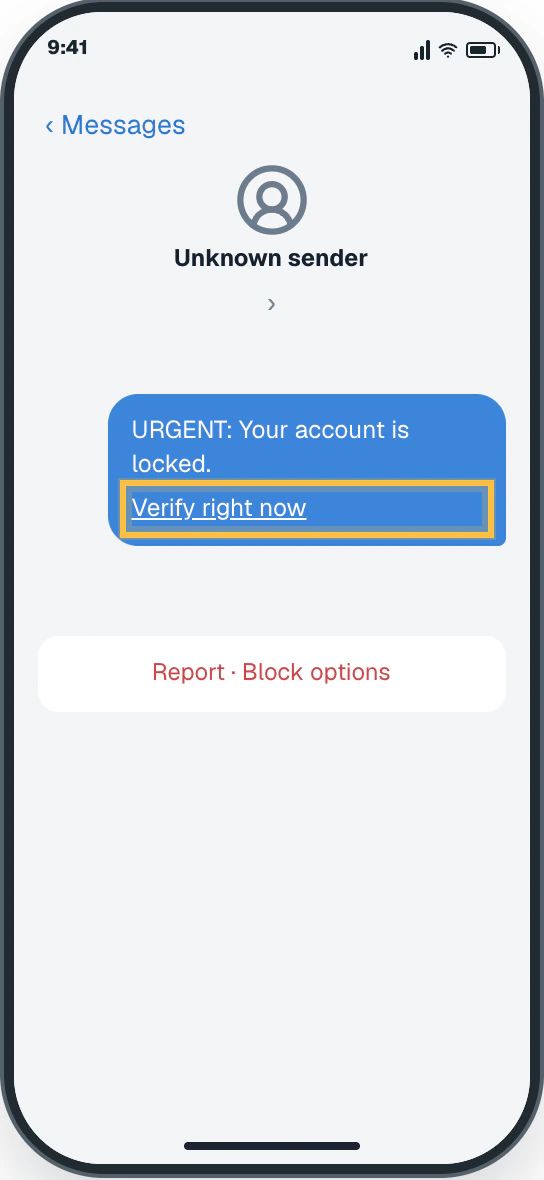
Leave the message open only long enough to recognize it. Do not tap, reply, or call.
✦ Original Generic phone example — not a manufacturer screenshot
9:41
‹ Messages
Unknown sender›
URGENT: Your account is locked.
Verify right now
Report · Block options
This original visual follows the verified path. Labels can vary slightly by model, region, carrier, or device state.
Show written steps
Stop before interacting. Leave the message open only long enough to recognize it. Do not tap, reply, or call. The suspicious message remains open, and its link has not been activated.
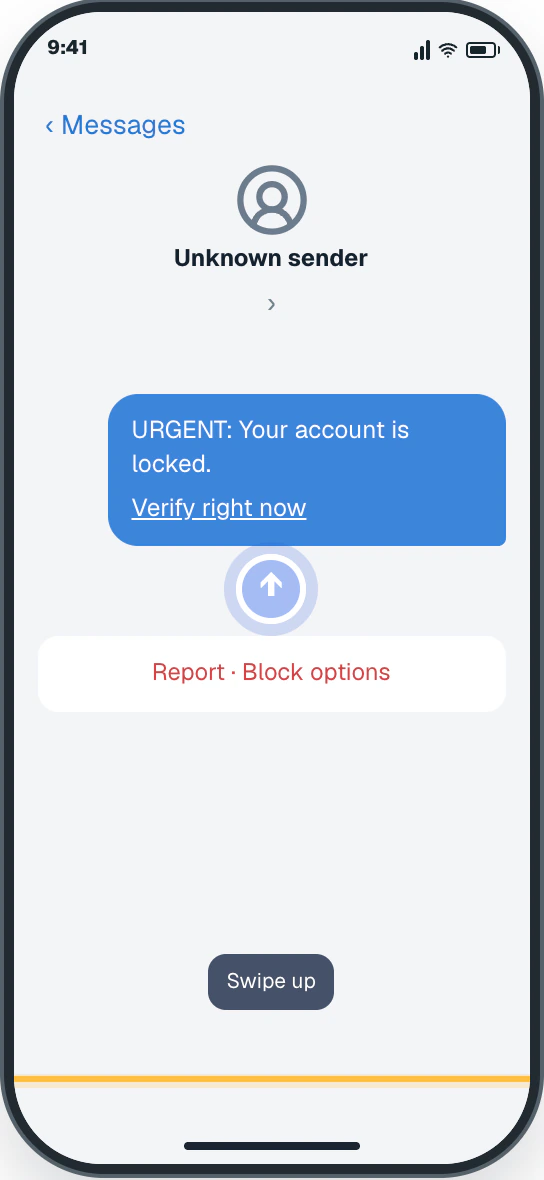
Leave the message. Swipe up from the bottom edge to leave the message without tapping its link. You are safely out of the message.
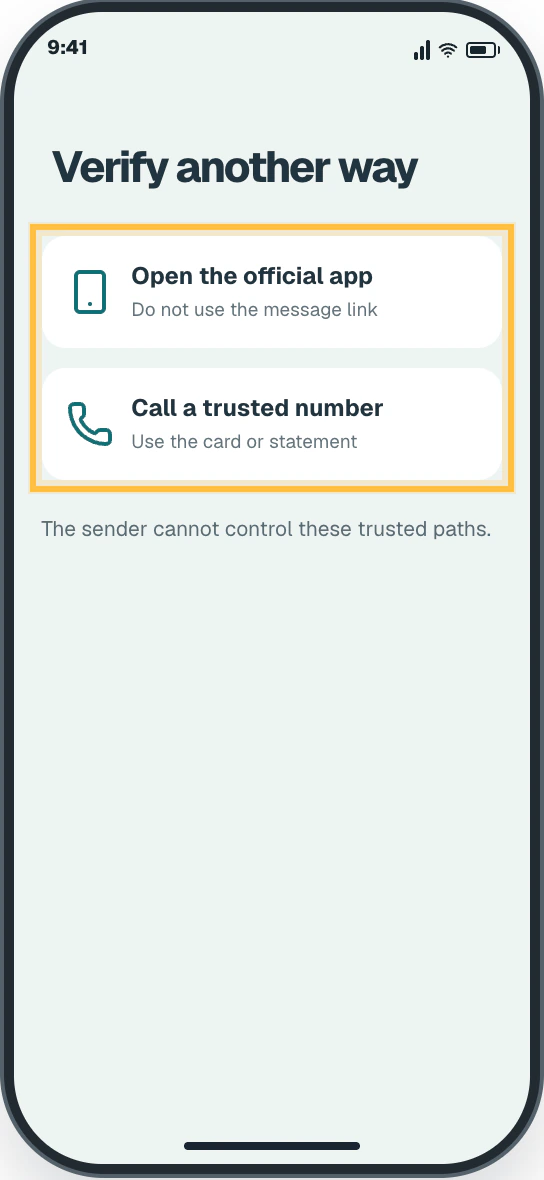
Use one trusted channel. Open the company’s official app yourself. If you cannot, call the trusted number on your card or statement. The official app or verified call screen opens outside the suspicious message.
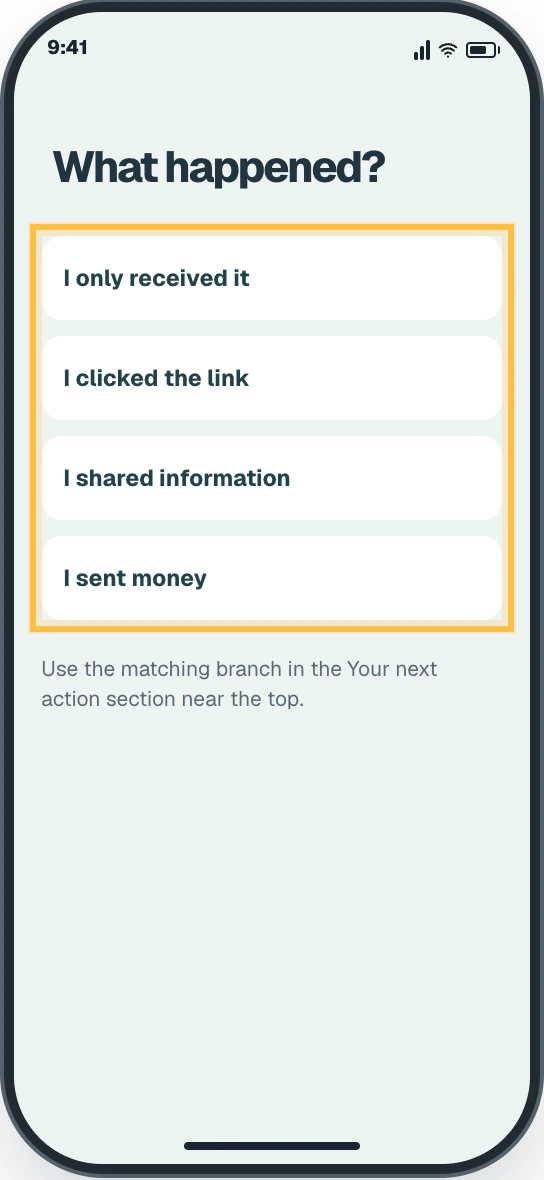
Choose what happened. Use the matching branch for only received, clicked, shared information, or sent money. The four next-action choices are in the Your next action section near the top.
Watch it happen
Helpful video
The video is optional. YouTube will not load until you choose Load video.
Load the video when you are ready
YouTube stays disconnected until you choose this button. The written steps work without the video.
Official help videoChecked August 31, 2026Creator-edited English captions
Text Scams Warning with Commissioner Mark Meador
Published by FTCvideos. Explains how to pause, verify through a trusted source, and avoid tapping an unexpected link.
Watch directly on YouTube If the video does not load here, the direct link opens the same tutorial on YouTube.
iPhone and Android · 4 clear steps
Follow the steps
Read one step, try it on your phone, then move to the next.
Step 1
Stop before interacting
Leave the message open only long enough to recognize it. Do not tap, reply, or call.
You should now see: The suspicious message remains open, and its link has not been activated.
Easy Phone Tech visual example. Personal details are fictional; exact wording can vary.Open a larger picture
Step 2
Leave the message
Swipe up from the bottom edge to leave the message without tapping its link.
You should now see: You are safely out of the message.
Easy Phone Tech visual example. Personal details are fictional; exact wording can vary.Open a larger picture
Step 3
Use one trusted channel
Open the company’s official app yourself. If you cannot, call the trusted number on your card or statement.
You should now see: The official app or verified call screen opens outside the suspicious message.
Easy Phone Tech visual example. Personal details are fictional; exact wording can vary.Open a larger picture
Step 4
Choose what happened
Use the matching branch for only received, clicked, shared information, or sent money.
You should now see: The four next-action choices are in the Your next action section near the top.
Easy Phone Tech visual example. Personal details are fictional; exact wording can vary.Open a larger picture
My screen looks different
That is normal. Phone makers sometimes move or rename a setting.
Stay with the task “Handle a suspicious text or message” and re-read the current action before tapping anything else.
If the named control is missing, open the official source below or search for a different task.