Open Google Password Manager first, then reveal a saved login only when nobody else can see your screen.
Choose what feels easiest
How would you like to learn?
Change the view at any time. Your phone is never connected to this website.
Phone
Android
Time
About 3 minutes
Reviewed
August 31, 2026
Before you start
This works only if Chrome or Google Password Manager saved the login before. It cannot recover a password that was never saved.
Have your phone’s screen-lock method ready. Google may ask for your fingerprint, face, PIN, pattern, or password.
A saved website password is different from your Google Account password. If you cannot sign in to Google itself, use Google Account recovery.
Read it and see it together
Interactive visual guide
Use Next when you are ready. Replay repeats the visual cue; nothing advances without your choice unless you start Play through.
Step 1 of 4
Step 1 of 4.
Do this now
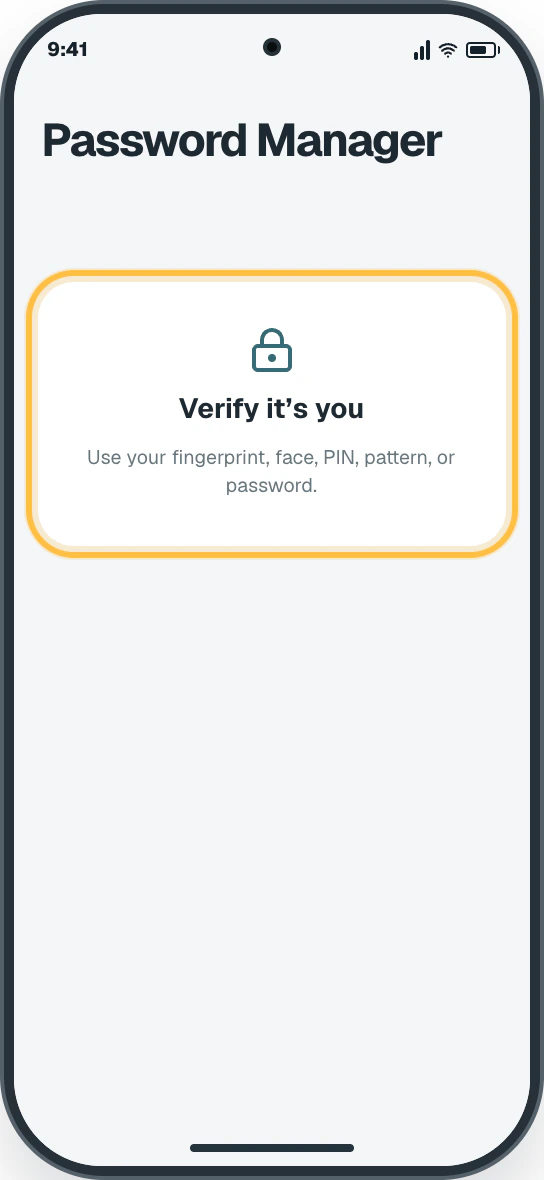
Authenticate
Use your fingerprint, face, PIN, pattern, or password when asked.
✦ Original Android example — not a manufacturer screenshot
9:41
Password Manager
Verify it’s youUse your fingerprint, face, PIN, pattern, or password.
This original visual follows the verified path. Labels can vary slightly by model, region, carrier, or device state.
Show written steps
Authenticate. Use your fingerprint, face, PIN, pattern, or password when asked. Your saved-login search becomes available.
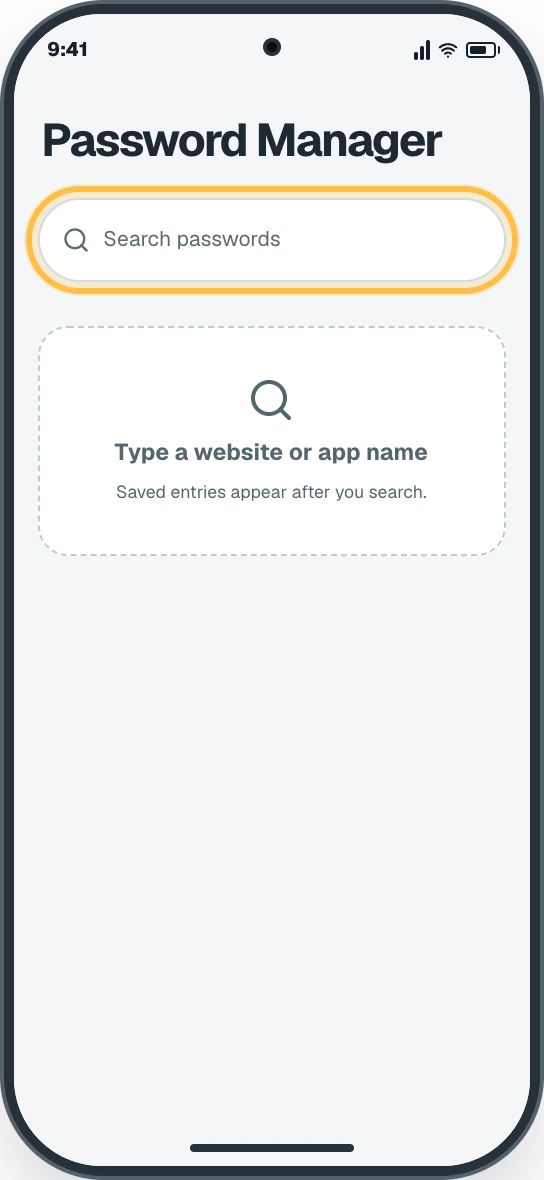
Search for the website. Use the search box and type the website or app name. Matching saved entries appear only after you search.
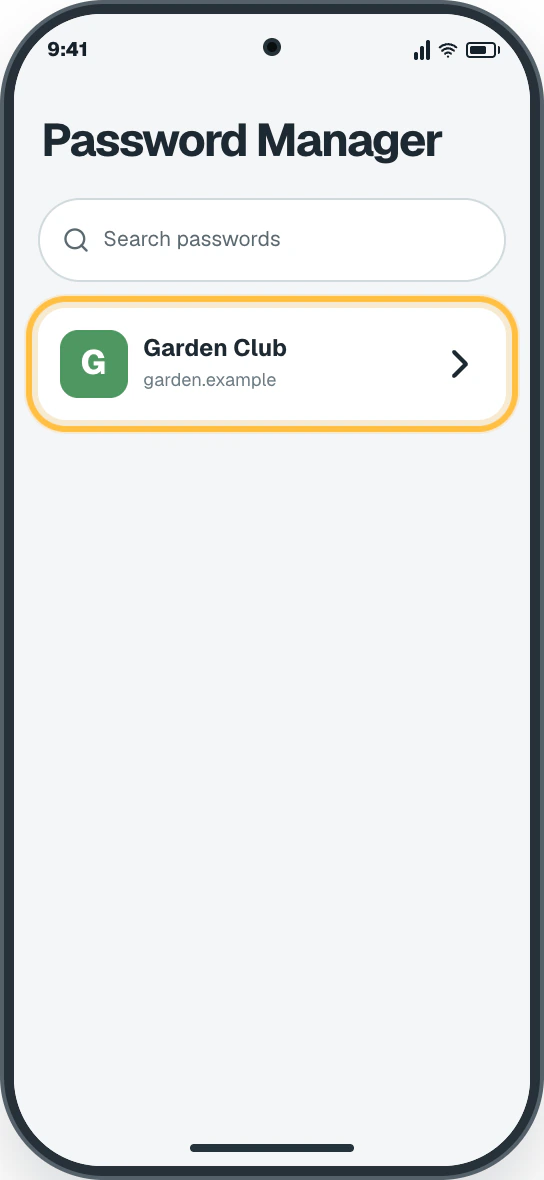
Choose the matching entry. Tap the saved account whose website or app name exactly matches what you need. The saved entry opens with the password still hidden.
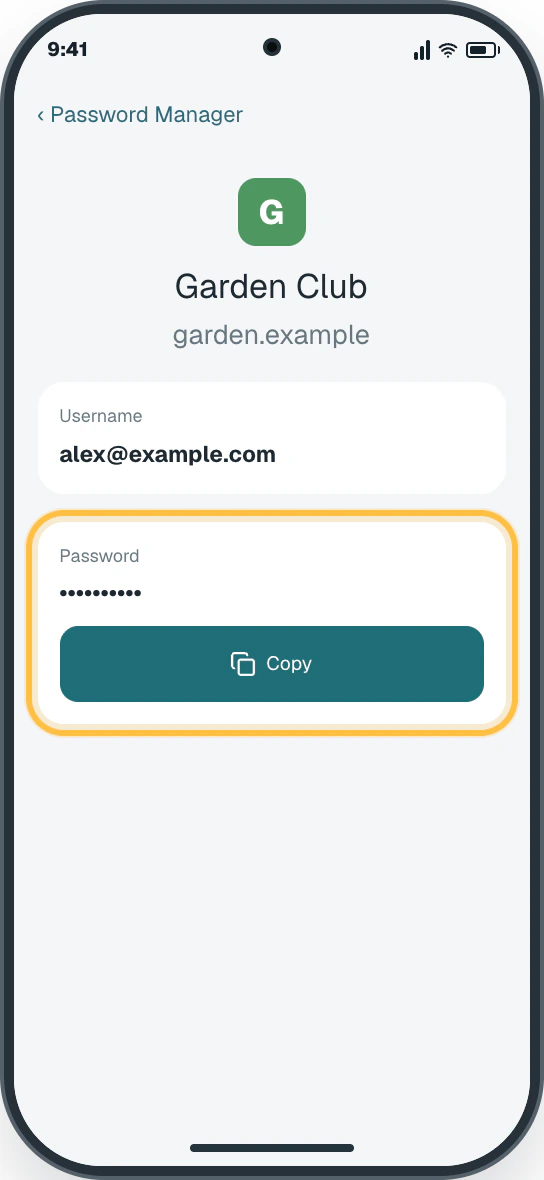
Copy the password. On the matching entry’s detail screen, tap Copy to use the password without displaying it. The saved password stays hidden after you choose Copy.
Watch it happen
Helpful video
The video is optional. YouTube will not load until you choose Load video.
Load the video when you are ready
YouTube stays disconnected until you choose this button. The written steps work without the video.
Verified tutorialChecked August 31, 2026Automatic English captions
How to Find Passwords on Android
Published by Gauging Gadgets. Shows selecting a saved entry, confirming identity, and viewing the saved password.
Watch directly on YouTube If the video does not load here, the direct link opens the same tutorial on YouTube.
One small goal at a time
Follow the steps
Read one step, try it on your phone, then move to the next.
Step 1
Authenticate
Use your fingerprint, face, PIN, pattern, or password when asked.
You should now see: Your saved-login search becomes available.
Easy Phone Tech visual example. Personal details are fictional; exact wording can vary.Open a larger picture
Step 2
Search for the website
Use the search box and type the website or app name.
You should now see: Matching saved entries appear only after you search.
Easy Phone Tech visual example. Personal details are fictional; exact wording can vary.Open a larger picture
Step 3
Choose the matching entry
Tap the saved account whose website or app name exactly matches what you need.
You should now see: The saved entry opens with the password still hidden.
Easy Phone Tech visual example. Personal details are fictional; exact wording can vary.Open a larger picture
Step 4
Copy the password
On the matching entry’s detail screen, tap Copy to use the password without displaying it.
You should now see: The saved password stays hidden after you choose Copy.
Easy Phone Tech visual example. Personal details are fictional; exact wording can vary.Open a larger picture
My screen looks different
That is normal. Phone makers sometimes move or rename a setting.
In Chrome, open More → Settings → Google Password Manager.
Authenticate before searching. If nothing matches, use the service’s official Forgot password link.