Your Google Account connects Gmail, contacts, Calendar, Play Store purchases, backups, and other Google services.
Choose what feels easiest
How would you like to learn?
Change the view at any time. Your phone is never connected to this website.
Phone
Android
Time
About 3 minutes
Reviewed
August 31, 2026
Before you start
Keep your Android phone nearby and unlocked.
Read one action, then try only that action.
Your wording may vary slightly by model, region, carrier, or account state.
If Settings is not where the picture shows it, swipe up for all apps and search for “Settings.”
Your screen may differ: Samsung may also show a separate Samsung account; this guide covers the Google Account used by Android and Google apps.
Read it and see it together
Interactive visual guide
Use Next when you are ready. Replay repeats the visual cue; nothing advances without your choice unless you start Play through.
Step 1 of 3
Step 1 of 3.
Do this now
Open Settings
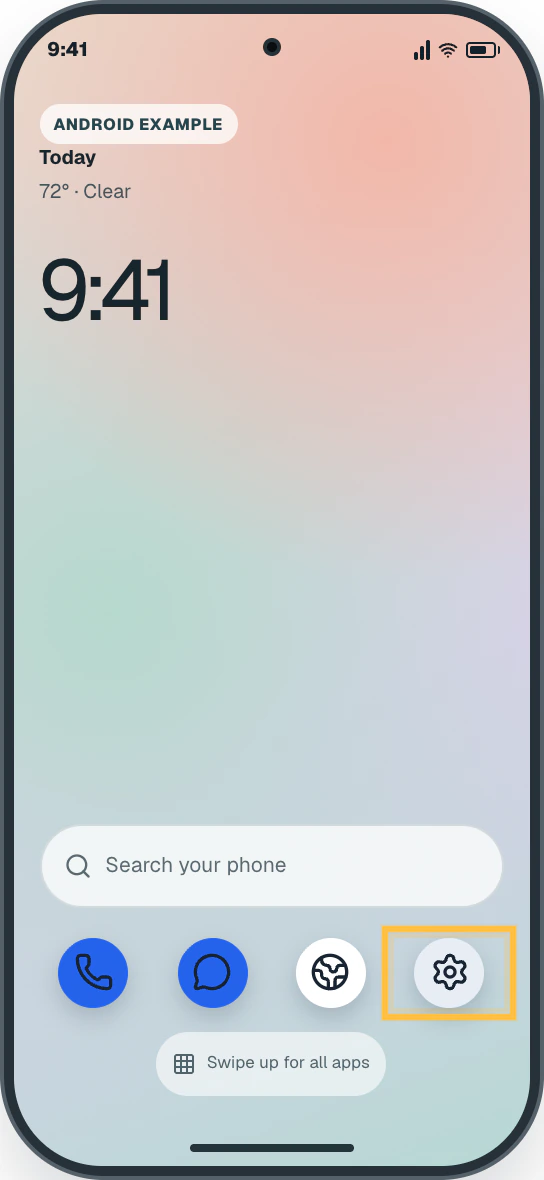
Open the app list and tap Settings.
✦ Original Android example — not a manufacturer screenshot
9:41
Android example
Today72° · Clear
9:41
Search your phone
Phone
Messages
Chrome
Settings
Swipe up for all apps
This original visual follows the verified path. Labels can vary slightly by model, region, carrier, or device state.
Show written steps
Open Settings. Open the app list and tap Settings. The Android Settings list opens.
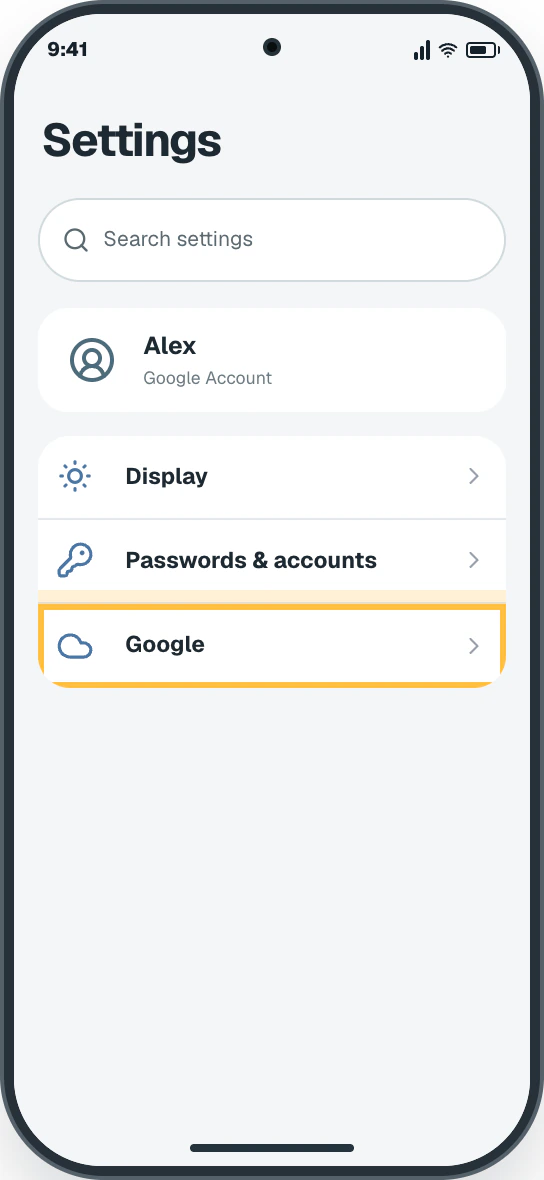
Tap Google. Scroll to Google and tap it. On some phones, start with Passwords & accounts or Accounts and backup. The Google account page opens with the connected email near the top.
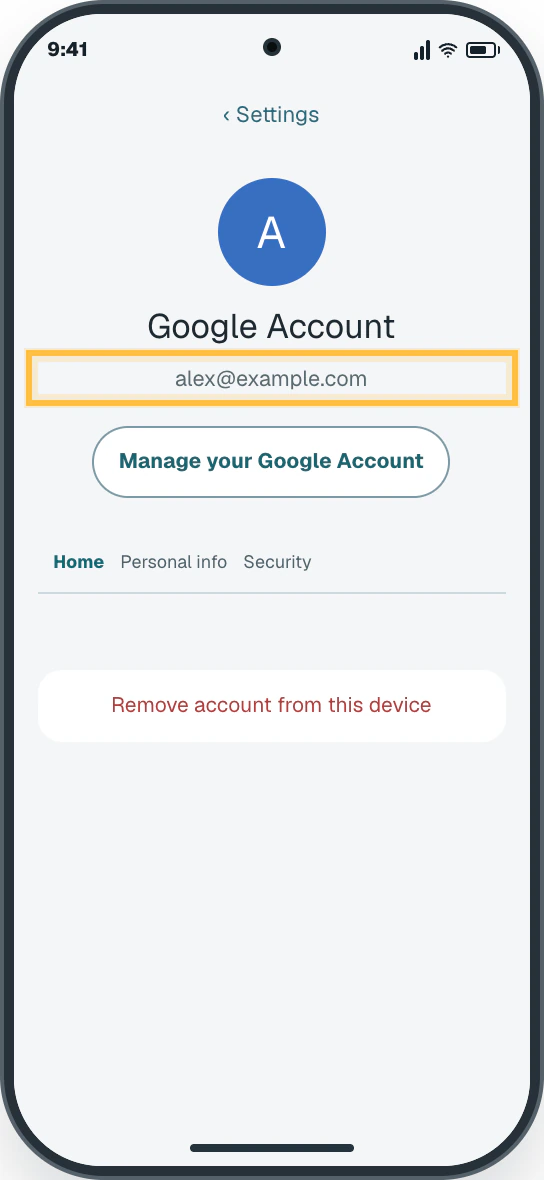
Check the email. Your Google Account email appears near the top. Tap Manage your Google Account for more details. The connected email address appears near the top.
Watch it happen
Helpful video
The video is optional. YouTube will not load until you choose Load video.
Load the video when you are ready
YouTube stays disconnected until you choose this button. The written steps work without the video.
Official help videoChecked August 31, 2026Automatic English captions
How to add accounts to your Galaxy phone
Published by Samsung Care. Shows where account management lives on a Galaxy phone. Use the written steps to identify the email already on your phone.
Watch directly on YouTube If the video does not load here, the direct link opens the same tutorial on YouTube.
One small goal at a time
Follow the steps
Read one step, try it on your phone, then move to the next.
Step 1
Open Settings
Open the app list and tap Settings.
You should now see: The Android Settings list opens.
Easy Phone Tech visual example. Personal details are fictional; exact wording can vary.Open a larger picture
Step 2
Tap Google
Scroll to Google and tap it. On some phones, start with Passwords & accounts or Accounts and backup.
You should now see: The Google account page opens with the connected email near the top.
Easy Phone Tech visual example. Personal details are fictional; exact wording can vary.Open a larger picture
Step 3
Check the email
Your Google Account email appears near the top. Tap Manage your Google Account for more details.
You should now see: The connected email address appears near the top.
Easy Phone Tech visual example. Personal details are fictional; exact wording can vary.Open a larger picture
My screen looks different
That is normal. Phone makers sometimes move or rename a setting.
Pixel often uses Passwords & accounts.
Samsung usually uses Accounts and backup → Manage accounts. Motorola may say Passwords & accounts or Users & accounts.