On iOS 18 or later, saved passwords live in the Passwords app and are protected by Face ID or your passcode.
Follow along your way
Choose pictures, written steps, or video.
Phone
iPhone
Time
About 3 minutes
Reviewed
August 31, 2026
Before you start
Keep your iPhone nearby and unlocked.
Read one action, then try only that action.
Your wording may vary slightly by model, region, carrier, or account state.
Interactive visual guide
Step 1 of 3
Step 1 of 3.
Do this now
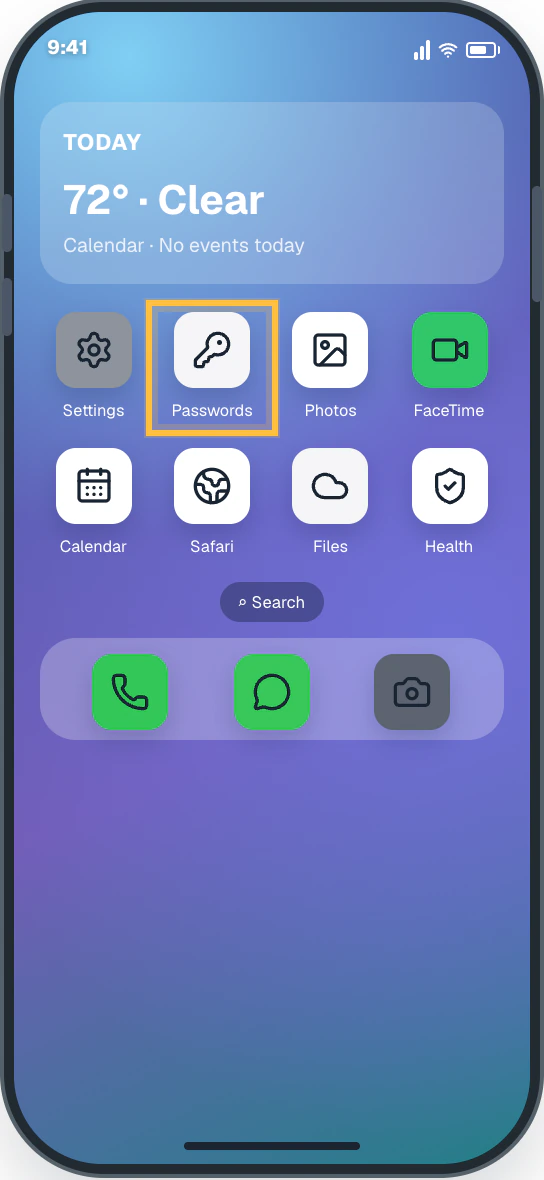
Find Passwords
On the Home Screen, swipe down and search for “Passwords,” or tap its key icon.
✦ Original Modern iPhone example — not a manufacturer screenshot
9:41
Today72° · ClearCalendar · No events today
Settings
Passwords
Photos
FaceTime
Calendar
Safari
Files
Health
⌕ Search
Phone
Messages
Camera
This original visual follows the verified path. Labels can vary slightly by model, region, carrier, or device state.
Show written steps
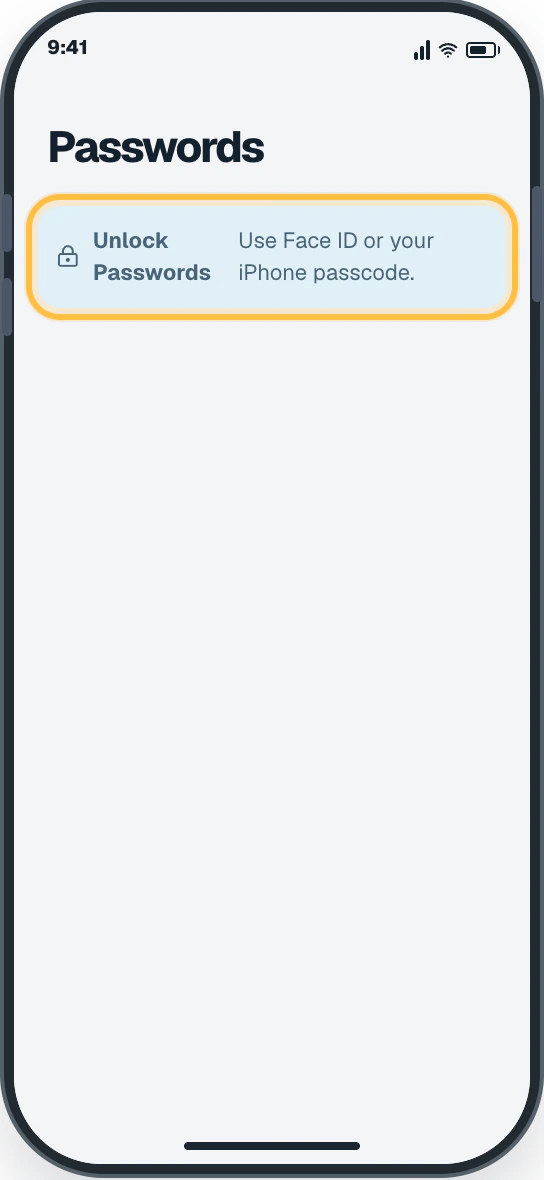
Find Passwords. On the Home Screen, swipe down and search for “Passwords,” or tap its key icon. Passwords opens and asks for Face ID or your iPhone passcode.
Unlock the app. Look at the iPhone for Face ID, or enter your iPhone passcode. The Passwords home screen appears with the All category.
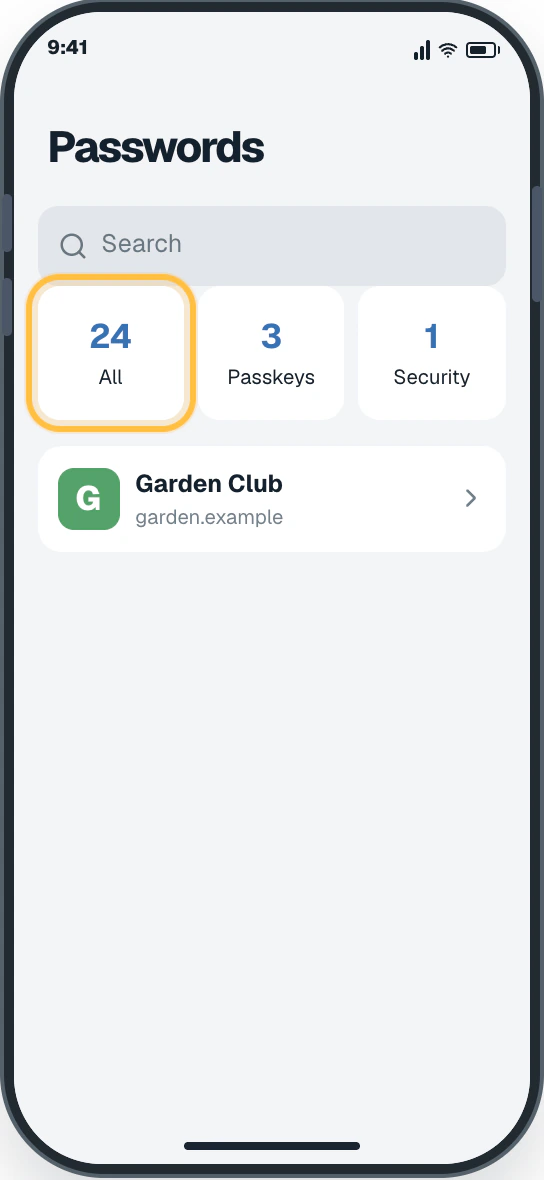
Open All. Tap All to see your saved accounts. A list of your saved accounts appears.
Watch it happen
Helpful video
The video is optional. YouTube will not load until you choose Load video.
Load the video when you are ready
YouTube stays disconnected until you choose this button. The written steps work without the video.
Official help videoChecked August 31, 2026Creator-edited English captions
Find saved passwords and passkeys in the Passwords app
Published by Apple Support. Shows the official Passwords app open-and-unlock flow for current iPhone software.
Watch directly on YouTube If the video does not load here, the direct link opens the same tutorial on YouTube.
iPhone · 3 clear steps
Follow the steps
Read one step, try it on your phone, then move to the next.
Step 1
Find Passwords
On the Home Screen, swipe down and search for “Passwords,” or tap its key icon.
You should now see: Passwords opens and asks for Face ID or your iPhone passcode.
Easy Phone Tech visual example. Personal details are fictional; exact wording can vary.Open a larger picture
Step 2
Unlock the app
Look at the iPhone for Face ID, or enter your iPhone passcode.
You should now see: The Passwords home screen appears with the All category.
Easy Phone Tech visual example. Personal details are fictional; exact wording can vary.Open a larger picture
Step 3
Open All
Tap All to see your saved accounts.
You should now see: A list of your saved accounts appears.
Easy Phone Tech visual example. Personal details are fictional; exact wording can vary.Open a larger picture
My screen looks different
That is normal. Phone makers sometimes move or rename a setting.
Stay with the task “Open the Passwords app” and re-read the current action before tapping anything else.
If the named control is missing, open the official source below or search for a different task.